
Digital passport · For destinations
Your destination’s digital passport, in every visitor’s phone.
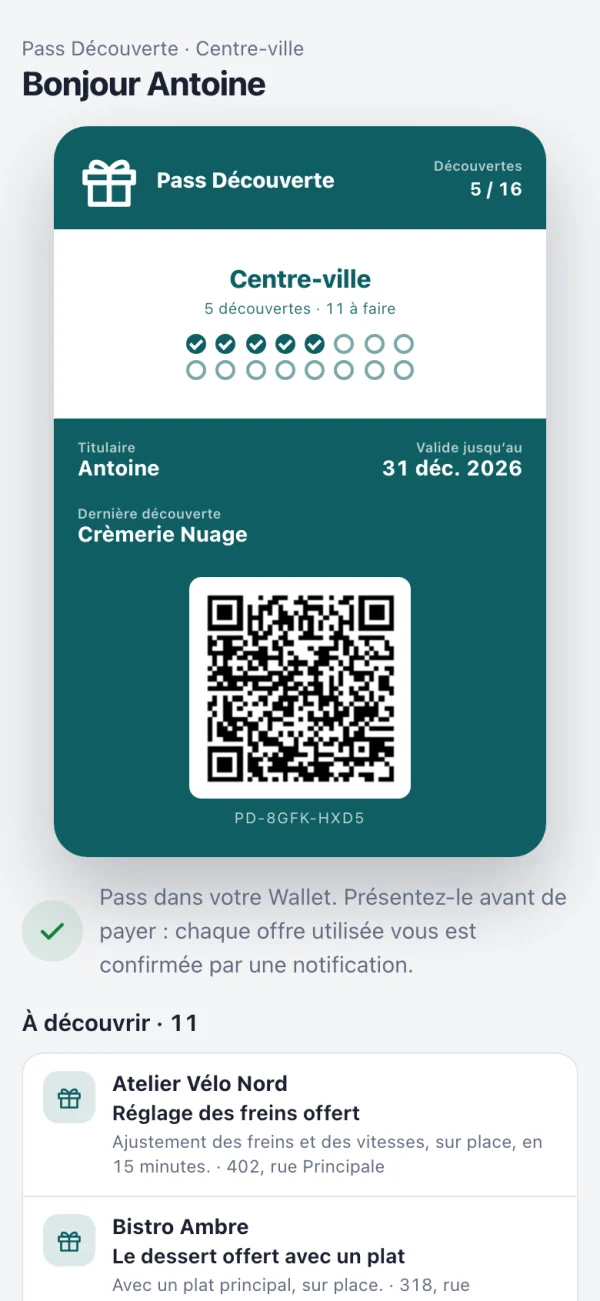
A pass in Apple Wallet or Google Wallet, with one offer at each participating business. The business scans it at the counter. You see how many visitors each partner welcomed.
- Apple Wallet and Google Wallet
- In English and French
- Data hosted in Canada
For organizations that help people discover a place
An organization brings businesses together around one pass. Each business offers something to the visitor who shows it.
-
Tourism board, DMO
Visitors to the region
Offers at attractions, restaurants and shops, so the stay lasts a little longer.
-
Business improvement area
Shoppers on the street
A shop local passport for the holidays or a sidewalk sale, with one offer per member business.
-
Chamber of commerce
Residents and members
A pass that sends customers from one member to the next, across town.
-
Town, festival
Attendees
A pass handed out at the booth or the gate, valid for the event or the whole season.
Three moves, no app
The visitor adds the pass, the business scans it, the organization sees the visits.
-
1The visitor adds the pass
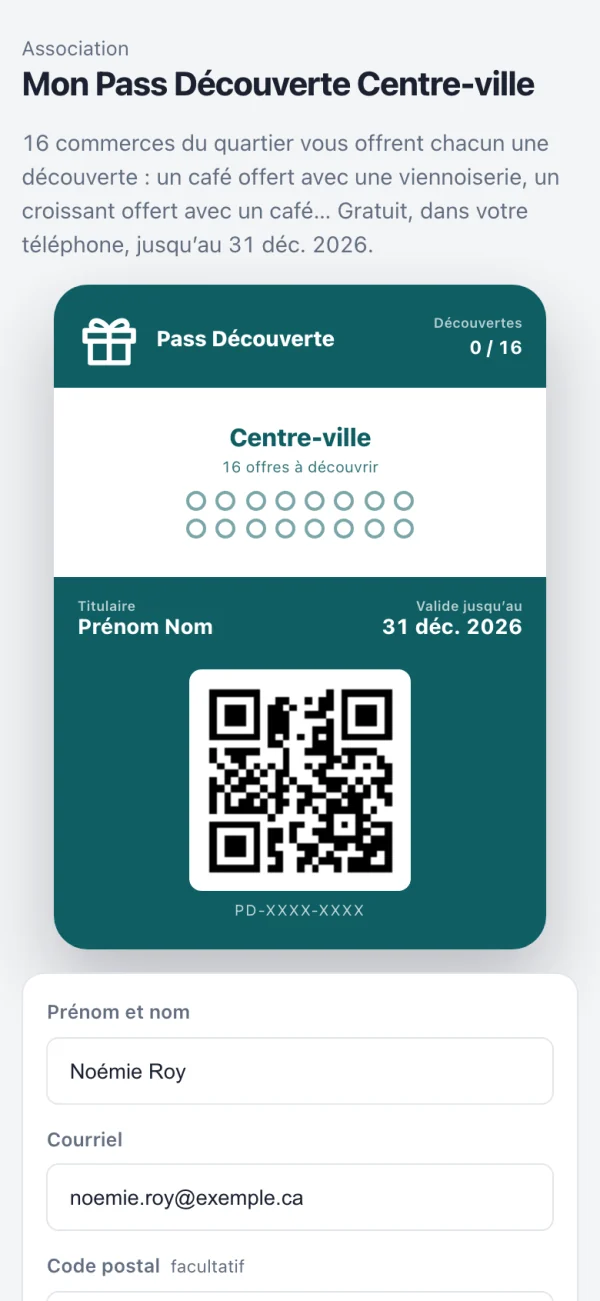
A QR code at the booth, on a poster or in your newsletter. A name, an email, and the pass goes into their Wallet.
-
2The business scans it
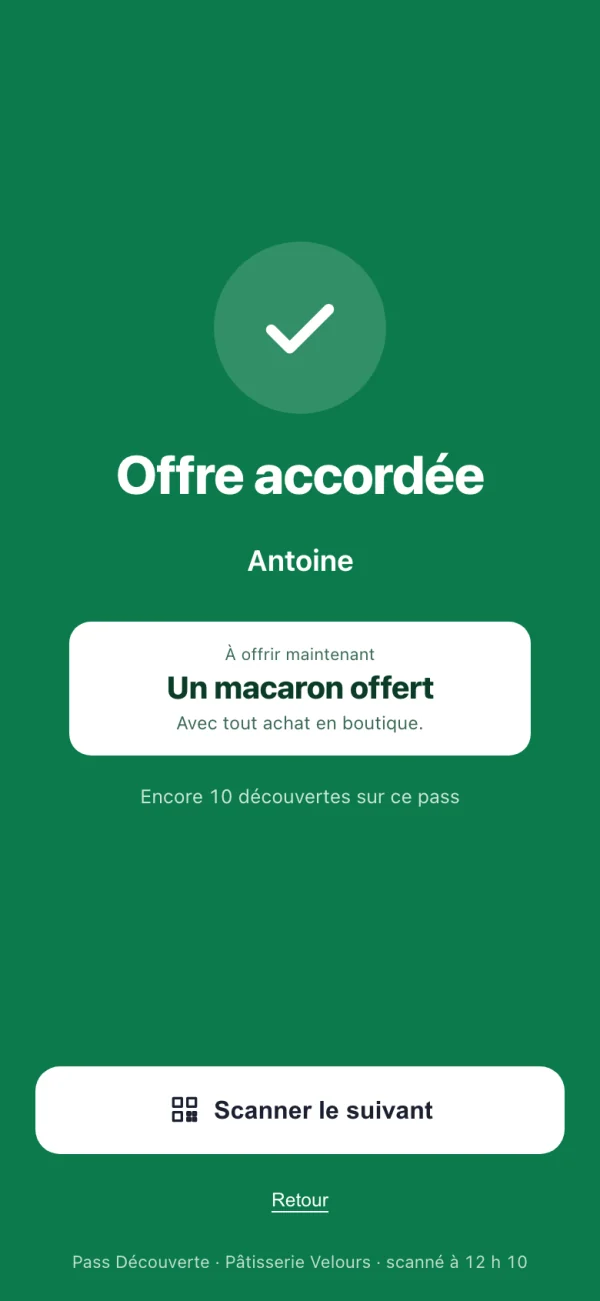
With the camera of its own phone, from a private link. The offer is granted once, then refused at the next scan.
-
3You see the visits
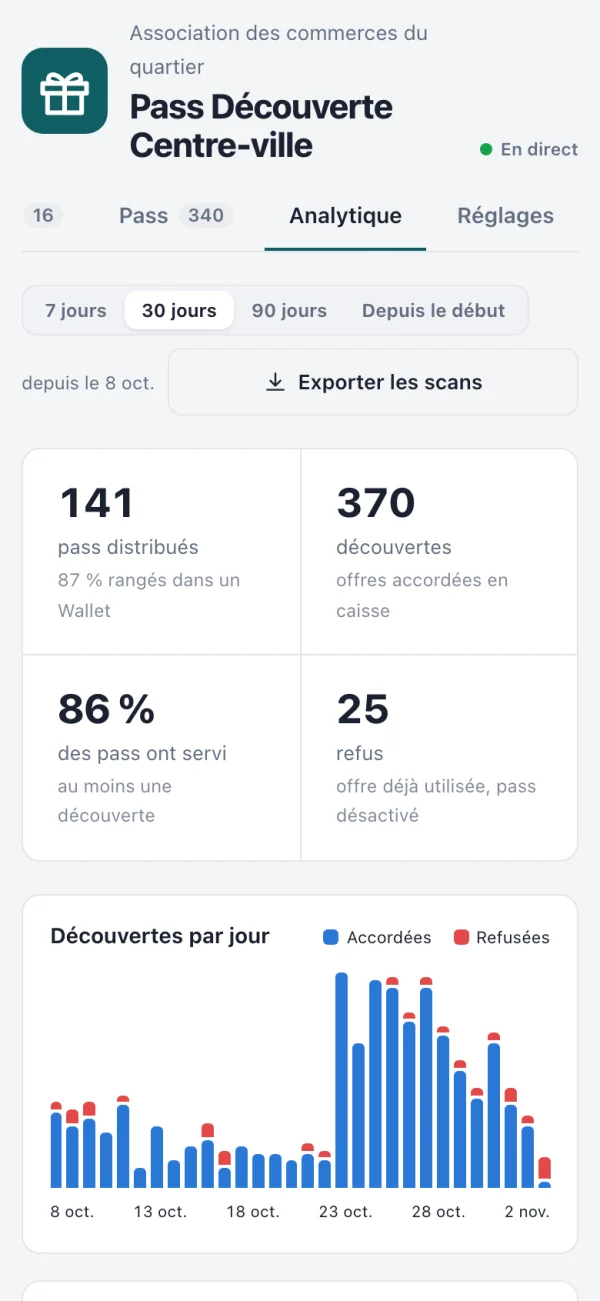
Passes added, offers used per business, day by day. The numbers update during the event.
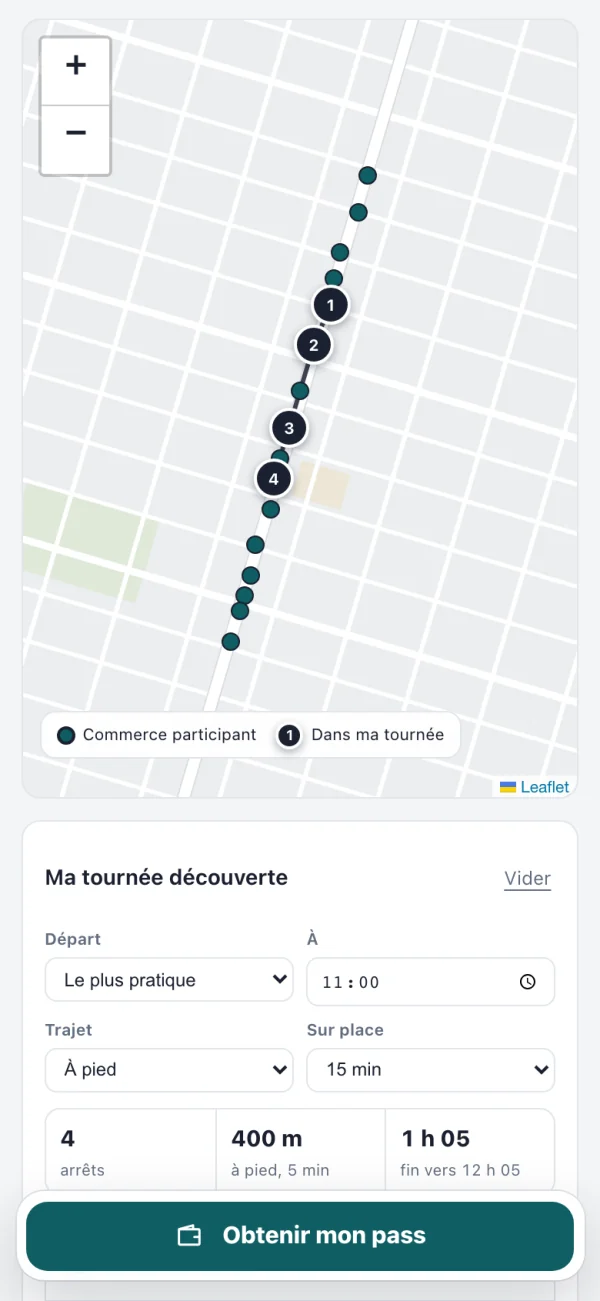
Every business on one map
From the pass, the visitor sees each participating business and the offer waiting there. They plan their route: the order of stops, the walking time, then directions in Google Maps.
- A different offer at each business
- The discovery counter on the pass
- Offers already used, checked off
Why a Wallet pass rather than an app or a web page
The pass lives where visitors already keep their tickets and boarding passes.
-
No program app
The pass is added to Wallet from a link, an email or a QR code. Visitors install nothing else and create no password.
-
On the lock screen
After each scan, a notification confirms the offer used, without opening an app.
-
iPhone and Android
Apple Wallet on iPhone, Google Wallet on Android: both are available in Canada, and the same passport works on both.
-
Always current
A business added, an offer changed: the pass updates in every phone.
Simple for businesses, measurable for you
Participating businesses
- A scan with their own phone, nothing to install
- The offer they choose: a free coffee, 10% off a purchase
- One offer per visitor, refused at the second scan
- A scan screen in English or French
Your organization
- Offers used per business, per day and per hour
- Passes added and visitors who used their pass
- Where visitors come from, by postal code
- Results for each event and each booth
- Data export to CSV
- Consent at sign-up, data hosted in Canada
The report your board expects
At the end of the season, you have the numbers to justify the program and to bring businesses back next year.
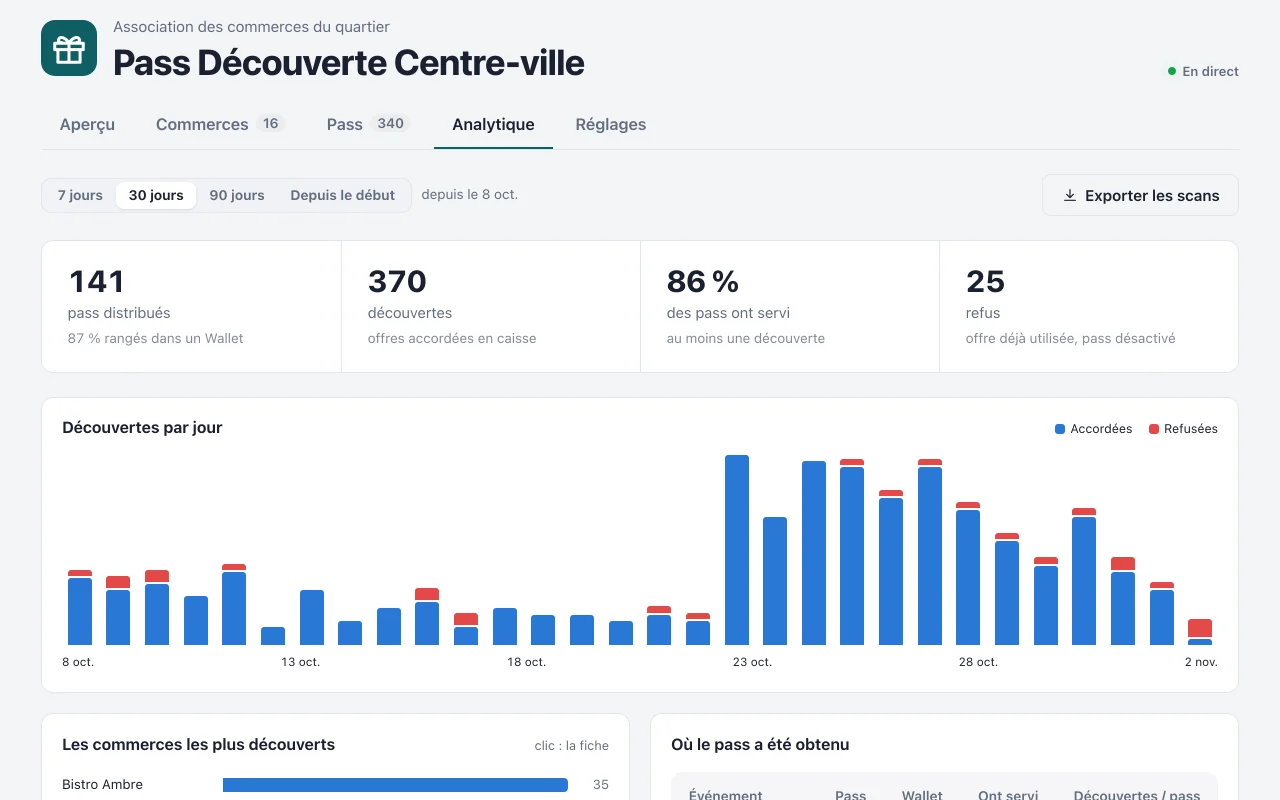
- The number of passes added to Wallet
- Offers used, business by business
- How many visitors discovered 1, 2, 5 businesses or more
- The paths: after one business, which one the visitor went to next
Live in a few weeks
ARSOM supports every step, in English or French.
- 1
The businesses
The list of partners and the offer of each.
- 2
The pass
Your logo, your colours, the end date, English and French.
- 3
The access
One scan link per business and a short training.
- 4
The launch
QR codes for the booth, posters and the newsletter.
- 5
The report
The season’s numbers and the data export.
Further reading
Tell us about your destination
Pricing is quoted per project, based on the number of businesses and the length of the program. ARSOM costs less than Bandwango, the US platform chosen by several tourism boards in Canada.
Looking for a membership or employee card? See the digital pass.
Frequently asked questions
What is a digital passport program?
A free pass that visitors add to Apple Wallet or Google Wallet. It unlocks one offer at each participating business in an area: a free coffee, a discount, a tasting. The business scans the pass to grant the offer, and the organization tracks visits business by business.
Is it the same as the Parks Canada Discovery Pass?
No. The Parks Canada Discovery Pass is an annual admission pass to national parks and historic sites. The digital passport on this page is a local program: a tourism board, a BIA or a town brings businesses together, and each one offers something to pass holders.
Do visitors need to download an app?
No. They scan a QR code or open a link, enter their name and email, then add the pass to Apple Wallet on iPhone or Google Wallet on Android. The pass then shows up like a boarding pass.
How does a business check the pass?
Each business gets a private link that opens the scan screen in its phone’s browser. It scans the pass’s QR code, or types its number. The offer is granted once per pass: a second scan at the same business is refused.
Is the passport available in French and English?
Yes. The pass, the sign-up page and the scan screen are available in English and French, which matters for destinations in Quebec, Ontario, New Brunswick or anywhere welcoming visitors from both language communities.
Where is visitor data hosted?
In Canada. Visitors give their consent at sign-up, and the postal code is optional. Businesses never see a holder’s email or postal code: only the first name and the offer to grant.
How much does an ARSOM digital passport cost?
Pricing is quoted per project: it depends on the number of participating businesses, the length of the program and the support you want. ARSOM costs less than Bandwango. The pass stays free for visitors.